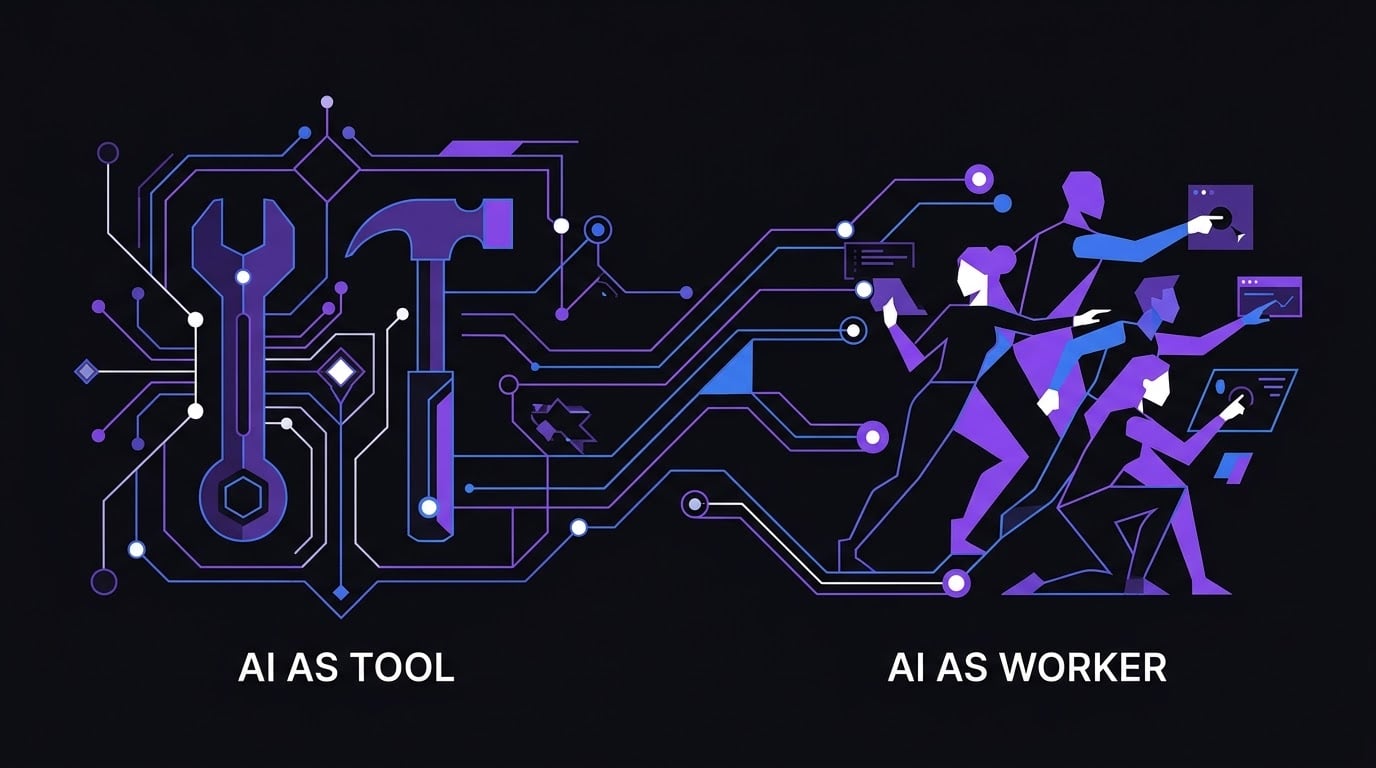

Agent Orchestration with OpenClaw: A Multi-Agent Blogging System
How to run specialized agents that coordinate on a shared task — entirely on local hardware
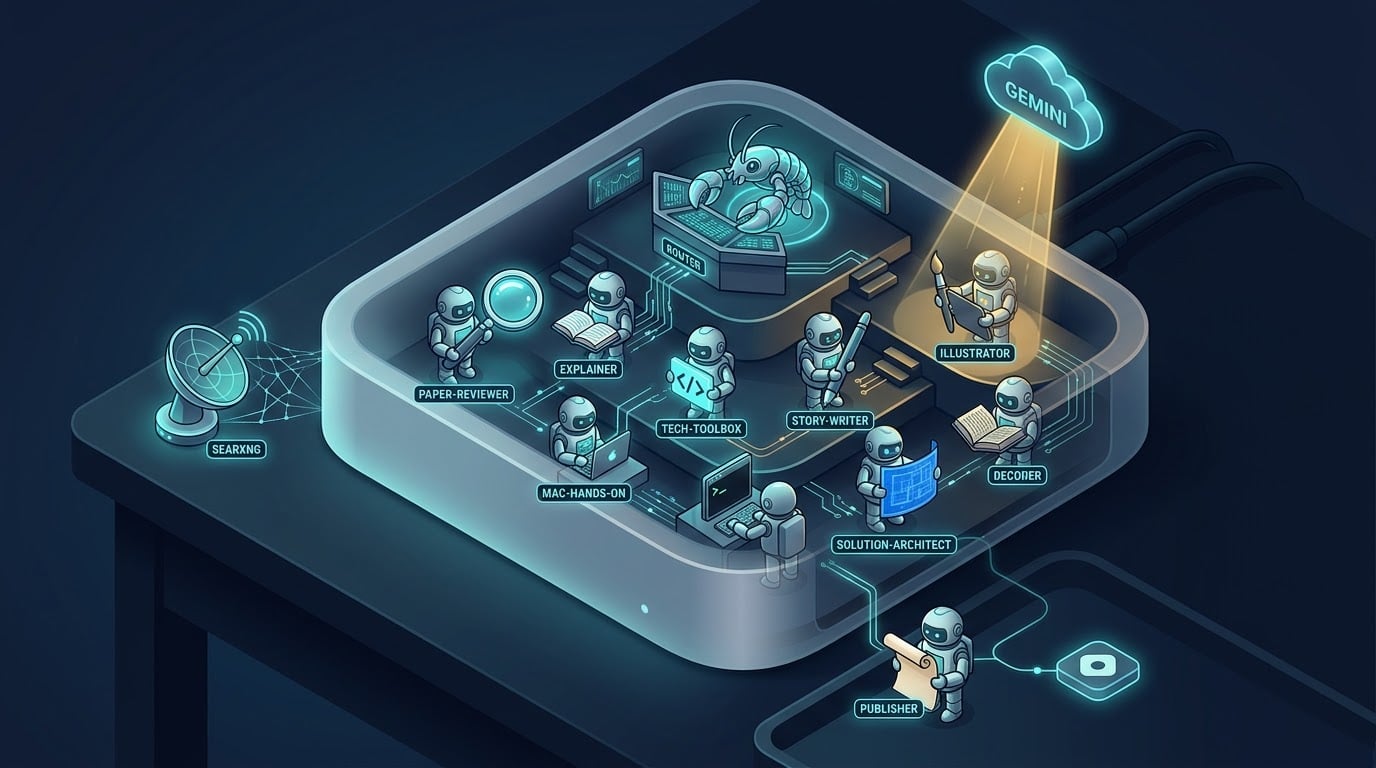
1. Purpose and Design Principles
This guide teaches multi-agent orchestration through a concrete, end-to-end example: an autonomous blogging system.
Most guides about AI agents show a single agent calling a single tool. That works for simple tasks. But most real work is not a single task — it is a pipeline of different cognitive operations, each needing different strengths. Research is retrieval-heavy. Writing is generation-heavy. Illustration is API-heavy. Review is judgment-heavy. Publishing is deterministic. One agent doing all of it will truncate its context, use the wrong model for half the work, and fail entirely if any single step breaks.
This guide shows a different approach. We build thirteen specialized agents coordinated by a router agent that dispatches work using OpenClaw's sessions_spawn and sessions_yield primitives. A local decision model (Kev) does the classification. The router LLM orchestrates the pipeline. Each specialist writes its output to a shared directory, the next specialist reads it, and the pipeline completes without a human in the loop.
By the end, you will understand:
- The orchestrator-worker pattern and how to implement it in OpenClaw
- How to spawn sub-agents with
sessions_spawnand wait for them withsessions_yield - How to use a local decision model for typed classification
- How to assign different models to different agents based on their role
- How to enforce quality gates between pipeline stages
- How to make every service survive a reboot without manual intervention
Design Principle 1: Everything Runs Locally
Every component in this stack is self-hosted on the Mac Mini. No component calls a hosted API for search, routing, or model inference.
- Ollama runs the language models.
- SearXNG runs the web search (a self-hosted metasearch engine that queries upstream search engines on your behalf — the upstreams see SearXNG's requests, not yours).
- Kev runs the routing decisions.
- OpenClaw runs the agent runtime.
The only cloud calls in the entire system are Gemini for image generation (no comparable local model exists today) and Hashnode for publishing (the destination is inherently cloud). Everything else is local.
This principle drives every tool choice in the guide. It is why the guide uses SearXNG instead of Brave Search API. It is why it uses Kev instead of hosted Jev. It is why it uses Ollama instead of a hosted model provider.
If you do not want to use Gemini or Hashnode, Section 11 provides local alternatives for both. The rest of the guide still applies — only the publisher and illustrator agents change.
Design Principle 2: Every Service Survives a Reboot
A pipeline that only works until you restart the Mac is not a pipeline. It is a demo.
The guide installs every service with an explicit always-on mechanism. Four services need four different mechanisms because macOS handles each differently:
| Service | Mechanism | Persists Across Reboot? |
|---|---|---|
| Ollama | LaunchAgent plist | Yes |
| OpenClaw Gateway | launchd via openclaw gateway install |
Yes |
| Kev | Supervisor via brew services |
Yes |
| SearXNG | Colima (VM) + Supervisor (container) | Yes |
By the end of the install sections, you can reboot the Mac and every service comes back without manual intervention.
Design Principle 3: One Model Per Cognitive Role
The guide uses four Ollama models and one decision model. Each was chosen for a specific cognitive role, not for raw benchmark score.
| Model | Role | Used By |
|---|---|---|
| qwen3.6:35b-a3b | Fast structured generation | router, explainer, paper-reviewer, solution-architect, content-reviewer |
| qwen2.5-coder:32b | Code and determinism | tech-toolbox, mac-hands-on, man-human, illustrators, publisher, local-publisher |
| batiai/gemma4-26b:iq4 | Creative writing | story-writer, illustrator-story |
| nomic-embed-text | Memory embeddings | memory system |
| kev-4b | Typed decisions | classification |
The first is a Mixture-of-Experts model that activates only 3B parameters per token. It is 4-5x faster than a dense model of similar size and handles structured generation extremely well. The second is a code-specialized dense model for tasks that need runnable code or deterministic tool calls. The third is an MoE tuned for creative prose. The fourth is an embedding model. The fifth is a decision model, not a language model.
No agent uses a model that does not fit its job. No model is overkill.
2. Prerequisites
Before you start, confirm you have everything in this section. The install steps will fail silently or partially if any of these are missing.
2.1 Hardware
| Requirement | Minimum | Recommended |
|---|---|---|
| Mac with Apple Silicon | M1 with 32 GB unified memory | M4 Pro with 48 GB unified memory |
| Free disk space | 100 GB | 200 GB |
| macOS version | 14 (Sonoma) | 15 (Sequoia) or later |
The Mac Mini M4 Pro with 48 GB of unified memory is the reference machine. The pipeline loads one large model plus Kev at a time. Smaller Macs will work if you reduce the model sizes (see Section 4.8) but the pipeline will be slower.
2.2 Hashnode Pro Account (Or Local Publisher Alternative)
The default publisher requires a Hashnode Pro account. The Hashnode GraphQL API write operations — createDraft, publishPost, publishDraft — require the target publication to be on the Pro plan. Requests to free-tier publications are rejected with a FORBIDDEN error, even if your Personal Access Token is valid.
If you cannot or do not want to pay for Hashnode Pro, you can skip Hashnode entirely. Section 11.1 shows how to replace the publisher agent with a local publisher that writes the finished markdown, cover image, and metadata to a local directory. You choose the publishing destination yourself — a static site, a Git repository, a self-hosted Ghost instance, or manual upload.
The rest of this guide uses Hashnode as the example destination, but the local publisher alternative is documented and fully supported.
What you need for the default Hashnode path:
- A Hashnode account at https://hashnode.com
- A publication (blog) that you own
- An active Pro plan on that publication
To check your plan: open your blog dashboard, go to Billing, and look for the Pro subscription indicator. If you are on the free tier, either upgrade before continuing or use the local publisher alternative in Section 11.1.
You will need two values from Hashnode, obtained in Section 9.1:
- A Personal Access Token (
HASHNODE_PAT), from https://hashnode.com/settings/developer - Your Publication ID (
HASHNODE_PUBLICATION_ID), from the second segment of your dashboard URL
2.3 Google Gemini API Key (Or Local Image Generation Alternative)
The default illustrator agents generate cover images using Gemini's Imagen API. There is no comparable local model that matches Gemini's quality, but local image generation is viable and Section 11.2 documents three options.
What you need for the default Gemini path:
- A Google account
- A Gemini API key from https://aistudio.google.com/app/apikey
The free tier of the Gemini API is sufficient for testing. For production use with many articles, expect to pay for image generation beyond the free quota.
The key is stored as GEMINI_API_KEY in the centralized env file (Section 5.7).
If you prefer to keep everything local, Section 11.2 shows how to configure one of these alternatives:
- Ollama image generation (experimental, Z-Image Turbo or FLUX.2 Klein) — the simplest option, since Ollama is already installed.
- ComfyUI via OpenClaw's official
@openclaw/comfy-providerplugin — the most flexible option, with full workflow control. - Draw Things via the
@mijuu/drawthingsskill — the most Mac-native option, with a free App Store app.
2.4 Software You Should Already Have
- Homebrew. If it is not installed, run:
/bin/bash -c "$(curl -fsSL https://raw.githubusercontent.com/Homebrew/install/HEAD/install.sh)"
- A terminal. The guide assumes zsh, which is the default on macOS.
- Basic familiarity with running commands, editing files with nano, and reading error messages.
- An internet connection for the initial installs. Once everything is installed, only the Gemini image call and the Hashnode publish call need internet at runtime. If you use the local image generation and local publisher alternatives, the entire pipeline runs offline after install.
2.5 What You Do Not Need
- No OpenAI API key.
- No Anthropic API key.
- No Brave Search API key.
- No TypeSafe account or hosted Jev access.
- No Docker Desktop subscription.
- No LangChain, LangGraph, or any other orchestration framework.
- No Hashnode Pro account if you use the local publisher alternative.
- No Gemini API key if you use a local image generation alternative.
The pipeline is designed to run without any of these. That is the point.
3. The Blogger Usecase
3.1 What the Blogger Does
You give it a topic. It produces a published article.
That single sentence hides a lot of work. To go from "Explain how WebSockets work" to a live post on a blog, the system must:
- Decide what kind of article this is — a beginner explainer, a technical deep dive, a paper review, a story, a Mac tutorial, a system design piece, or a "man page for humans" glossary entry
- Research the topic from the web
- Write a 1,000-2,500 word article with code examples, diagrams, and a comparison table
- Generate a cover image and a stat infographic
- Review the article against quality rules
- Publish it to the right series on the blog
Each of those steps has a different cognitive profile. Research is retrieval-heavy. Writing is generation-heavy. Illustration is API-heavy. Review is judgment-heavy. Publishing is deterministic.
3.2 Why This Needs Multiple Agents
A single agent doing all six steps would face three problems:
Context exhaustion. The research notes, the draft, the image prompts, the review verdict, and the publish payload all compete for the same context window. A single agent would either truncate or forget.
Model mismatch. A model tuned for code generation is weak at creative prose. A model tuned for prose is slow at tool calling. No single model wins on every step.
Failure cascade. If image generation fails inside a single agent, the whole run dies. With separate agents, the image step can fail gracefully and the text still publishes.
3.3 The Pipeline
The blogger runs a fixed five-stage pipeline:
- Classify — Kev picks a content type
- Write — a specialist writer produces the draft
- Illustrate — an illustrator generates the cover and stat images
- Review — a reviewer scores the draft against quality rules
- Publish — the publisher creates a Hashnode draft (or a local file)
Each stage reads the previous stage's output from a file and writes its own. The router orchestrates the sequence.
4. The Architecture: Who Does What and Why
4.1 The Orchestration Pattern
The blogger system is an orchestrator-worker pattern. This is one of OpenClaw's documented multi-agent patterns.
The orchestrator is a single router agent. Its job is not to do the work but to decide who does what, spawn them, wait for them, and move to the next stage.
The workers are the twelve specialist agents — seven writers, three illustrators, one reviewer, one publisher. Each worker does one thing and returns.
The orchestration primitives are:
sessions_spawn: non-blocking. Starts a background sub-agent run and returns a run ID immediately.sessions_yield: the waiting primitive. Ends the current turn so completion events arrive as the next model-visible message.decision_evaluate: returns a typed answer from the decision model.
Important: agents_wait is for Swarm collector children only. It is not used in this pipeline.
The router turns look like this:
- Turn 1:
decision_evaluate, write route file,sessions_spawnwriter,sessions_yield - Turn 2: receive writer completion,
sessions_spawnillustrator,sessions_yield - Turn 3: receive illustrator completion,
sessions_spawnreviewer,sessions_yield - Turn 4: receive reviewer completion,
sessions_spawnpublisher,sessions_yield - Turn 5: receive publisher completion, report the draft URL
Four spawns, four yields, five turns.
4.2 Who Classifies, Who Orchestrates
The router agent's work splits into two layers that are easy to confuse:
| Layer | Who does it | What it is |
|---|---|---|
| Classification | Kev (the decision model) | Reads the topic and returns a typed choice: { choice: "story-writer", confidence: 0.94 } |
| Orchestration | The router LLM | Calls Kev, reads the reply, writes the route file, spawns each specialist, yields, wakes on completion, moves to the next stage |
Kev classifies. The router LLM orchestrates. They are not doing the same thing.
The router's own model (qwen3.6:35b-a3b) was chosen for tool-calling reliability, not for reasoning depth. The router's job is to build a valid decision_evaluate call, parse the JSON, resolve the series ID, write a route file, call sessions_spawn with the exact arguments, and call sessions_yield. That is eleven or twelve tool calls across five turns. The qwen3.6-35B-A3B MoE model scores 94.75% on the Berkeley Function Calling Leaderboard — one of the highest open-model scores — which is exactly why it is the router's model.
If you want to reclaim memory, you can swap the router to qwen2.5-coder:32b (19 GB instead of 22 GB) and accept a small reliability cost. Kev still classifies; the smaller LLM still orchestrates. The pipeline works either way.
4.3 High-Level Flow
User Prompt
    │
    ▼
┌───────────────────────────────┐
│  ROUTER AGENT (LLM)           │
│  Calls decision_evaluate      │
└────────────┬──────────────────┘
             │ HTTP POST
             ▼
┌───────────────────────────────┐
│  LOCAL KEV SERVER             │
│  http://127.0.0.1:8009        │
│  Returns the content type     │
└────────────┬──────────────────┘
             │
             ▼
┌───────────────────────────────┐
│  WRITER (one of 7 specialists)│
└────────────┬──────────────────┘
             │  web_search + web_fetch
             ▼
┌───────────────────────────────┐
│  SEARXNG (localhost:8888)     │
└────────────┬──────────────────┘
             │
             ▼
┌───────────────────────────────┐
│  ILLUSTRATOR (one of 3)       │
└────────────┬──────────────────┘
             │
             ▼
┌───────────────────────────────┐
│  CONTENT REVIEWER             │
└────────────┬──────────────────┘
             │
             ▼
┌───────────────────────────────┐
│  PUBLISHER (Hashnode or local)│
└───────────────────────────────┘
4.4 The Agent Roster
| Agent | Role | Content Type | Primary Model |
|---|---|---|---|
| router | Call Kev + orchestrate | — | qwen3.6:35b-a3b |
| paper-reviewer | Academic paper reviews | paper-review | qwen3.6:35b-a3b |
| explainer | Simple concept explanations | explainer | qwen3.6:35b-a3b |
| tech-toolbox | Tech explanations with code | tech-toolbox | qwen2.5-coder:32b |
| story-writer | Narrative development | story | batiai/gemma4-26b:iq4 |
| mac-hands-on | Mac tutorials | mac-hands-on | qwen2.5-coder:32b |
| solution-architect | System design | solution-architecture | qwen3.6:35b-a3b |
| man-human | Terms & CLI tool explainers | man-human | qwen2.5-coder:32b |
| illustrator-tech | Technical visuals | — | qwen2.5-coder:32b |
| illustrator-story | Atmospheric covers | — | batiai/gemma4-26b:iq4 |
| illustrator-tutorial | UI mockups | — | qwen2.5-coder:32b |
| publisher | Hashnode publishing | — | qwen2.5-coder:32b |
| local-publisher | Local file publishing | — | qwen2.5-coder:32b |
| content-reviewer | Quality gate | — | qwen3.6:35b-a3b |
If you use the local publisher alternative (Section 11.1), the publisher agent is replaced by local-publisher. If you use a local image generation alternative (Section 11.2), the illustrator agents call a different backend, but their roles stay the same.
4.5 Who Does What, and Why
Router agent. Calls Kev via decision_evaluate to classify the incoming topic, then orchestrates the pipeline using sessions_spawn and sessions_yield. Runs on qwen3.6:35b-a3b because it needs reliable tool calling across a five-turn sequence — the MoE architecture activates only 3B parameters per token, making it fast and cheap.
Seven specialist writers. Each owns one content type. They are separate agents rather than one writer with a mode switch because their prompts, section structures, and word counts are fundamentally different:
- paper-reviewer produces academic reviews with a methodology section and a results table. Runs on
qwen3.6:35b-a3b. The output is a structured 7-section article for general readers, not an adversarial peer review. The MoE handles structured generation well, is faster than a dense model, and stays warm between the router and this agent. - explainer produces beginner-friendly concept explanations with analogies and FAQs. Runs on
qwen3.6:35b-a3bbecause it needs speed and simplicity, not depth. - tech-toolbox produces practical technology explanations with runnable code snippets. Runs on
qwen2.5-coder:32bbecause code generation is its core output. - story-writer produces narrative fiction and non-fiction. Runs on
batiai/gemma4-26b:iq4because its Creative Writing Elo is 1301.60 — dramatically higher than any Qwen model's creative output. - mac-hands-on produces step-by-step Mac tutorials with copy-pasteable commands. Runs on
qwen2.5-coder:32bfor the same reason as tech-toolbox. - solution-architect produces system design articles with Mermaid diagrams and trade-off tables. Runs on
qwen3.6:35b-a3b. The output is a structured 8-section article with a fixed shape. The MoE writes Mermaid diagrams and trade-off tables well, and it stays warm with the router. - man-human produces glossary entries and CLI tool explainers. Runs on
qwen2.5-coder:32bbecause the output is code-heavy and pattern-based.
Three illustrators. Each has a distinct visual style. They run on the same model (qwen2.5-coder:32b, or batiai/gemma4-26b:iq4 for story) because their actual work is deterministic — they build curl commands and write manifests. No creative model is needed.
Content reviewer. Scores each draft against quality rules and writes a verdict file. Runs on qwen3.6:35b-a3b. The work is rubric application, not open-ended reasoning: read the draft, check word count, count citations, look for a Mermaid diagram and a comparison table, return a JSON verdict. The rubric is explicit and the output is structured.
Publisher. Creates the Hashnode draft. Runs on qwen2.5-coder:32b because the work is schema-driven and deterministic. If you use the local publisher alternative, the agent writes the markdown and metadata to a local directory instead.
4.6 Division of Labor
| Layer | Tool |
|---|---|
| Content type classification | Kev decision model |
| Pipeline orchestration | Router LLM (sessions_spawn + sessions_yield) |
| Model selection | Per-agent config |
Kev does not spawn agents. It only returns a typed choice. The router LLM orchestrates the pipeline.
4.7 OpenClaw's Workspace Files
Every agent in OpenClaw has a workspace directory. OpenClaw injects certain files from that workspace into the agent's context on the first turn of a new session. Understanding these files matters because the guide overwrites one of them for every agent.