
What Is LLM Routing? A Simple Guide to Saving Money on AI
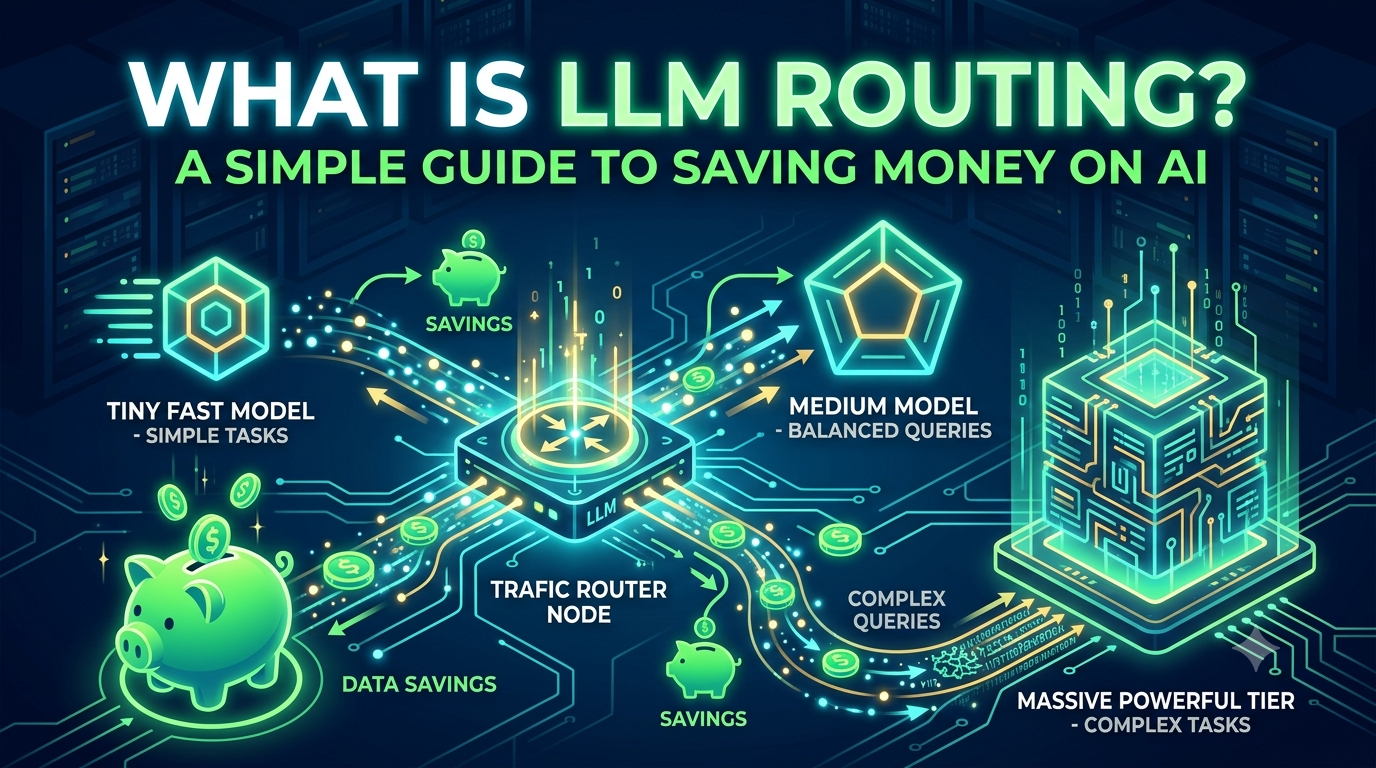
Most teams pick one AI model and use it for everything.
A short "summarize this" request costs the same as a complex "debug this code" request. That's wasteful — but the waste is invisible because your bill doesn't tell you which requests were easy.
Think of it like taking a taxi for every trip. Even a trip to the corner store. A router is like choosing between a bike, a bus, or a taxi depending on the trip.
This guide explains what routing is, why it matters, and what tools exist. No code, no math. Just plain ideas.
What Is a Gateway? What Is a Router?
These two words get mixed up all the time. Here's the difference.
Gateway = the front door. It handles logins, API keys, logging, and sending your request to the right place.
Router = the decision-maker inside the front door. It looks at your request and decides which model should handle it.
Failover = if the chosen model is down or slow, the gateway tries another one automatically.
A router is like a GPS that reroutes you when there's traffic. It's not just picking the fastest route — it's picking a route that still works when the main road is closed.
Most gateways include a router. Some routers work on their own.
The Hidden Risk of One Model
Routing isn't just about cost. It's about staying online.
In 2026, every major API provider has had outages. OpenAI, Anthropic, Google, and AWS have all gone down for hours. If your app depends on one model, your app goes down when that model does.
A local model on your own hardware is not immune either. Your machine can crash, overheat, or lose power.
The fix is the same as the cost fix: have more than one model, and a layer that can switch between them.
Teams that added routing for cost reasons discovered it also saved them during outages. Teams that added it for resiliency discovered it also cut their bill. Either reason is enough.
The Tricky Part: Context Sharing
Routing sounds simple. Send easy requests to cheap models, hard requests to expensive ones.
But there's a catch most beginners don't see coming: models don't share memory.
Imagine switching drivers in the middle of a race. The new driver gets in the car and asks, "Where are we going? What happened so far?" If nobody tells them, they're lost.
That's what happens when you switch models mid-conversation.
Every model has a limit on how much it can remember at once. This is called the context window. Some models remember a lot. Some remember very little. If your conversation is too long for the new model, it either fails or forgets the beginning.
Here's a real example. You ask your local model to "fix this function and run the tests." It calls a tool. The tool result comes back. Then you switch to a cloud model for the next step. The cloud model has no idea what function you're talking about, what tests ran, or what failed.
Three simple rules to avoid this:
- Don't switch models in the middle of a task. Finish the task, then switch if needed.
- Keep conversations short when switching. Long chats lose more context.
- If you must switch, pass a short summary. Even one sentence like "We're fixing a Python function that sorts a list" helps a lot.
There's also a money angle. When you stay on the same model, providers give you a discount on repeated text. Switch models, and you lose that discount. So switching isn't just a context problem — it can cost more too.
For a personal setup like a Mac Mini, you don't need to solve all of this. Just know it exists. The simplest fix is: pick one model per task, and stick with it until the task is done.
The Four Approaches
Each approach has a cost benefit and a resiliency benefit. Cascade gives you both in one design.
Cascade — Try a cheap model first. If it fails or the answer seems weak, try an expensive one. Simple to set up. The expensive model is already your fallback. Best for beginners.
Semantic — Guess how hard the request is before sending it. Easy requests go to cheap models, hard ones go to expensive models. More accurate than cascade, but needs a classifier. You configure failover separately.
Cost-Aware — Predict how much the request will cost before sending it. Pick the cheapest model that can handle it. Best for budget control. But pure cost focus means no built-in fallback.
Learned — Train a small AI model to make routing decisions. Highest ceiling, but needs data and machine learning skills. Resiliency depends on whether your training data includes failures.
| Approach | Cost | Resiliency |
|---|---|---|
| Cascade | High | High — built in |
| Semantic | High | Medium — needs setup |
| Cost-Aware | Highest | Low — no fallback |
| Learned | High | Medium — depends |
The Tools — What's Actually Out There
Here's what exists in 2026. Split into two categories: gateways and routers.
Gateways
| Tool | Cost | Failover | Best For |
|---|---|---|---|
| LiteLLM | Free OSS (self-hosted) | Yes | Control on a budget |
| OpenRouter | 5.5% fee on top-ups | Yes | Fastest start |
| Portkey | Free 10K req/mo; Pro $49/mo | Yes | Governance |
| Cloudflare AI Gateway | Free tier; pay beyond | Yes | Apps on Cloudflare |
| Kong AI Gateway | Free OSS core; from ~$500/mo | Yes | Enterprises on Kong |
Routers
| Tool | Cost | Failover | Best For |
|---|---|---|---|
| RouteLLM | Free OSS | No | Simple cost routing |
| vLLM Semantic Router | Free OSS + GPU | Yes | High-volume serving |
| NVIDIA Switchyard | Free OSS | Yes | Agent workflows |
Most teams need a gateway with routing built in, not a standalone router. LiteLLM is the most common starting point because it's free, open source, and includes routing.
The Numbers — And Why They Vary
Savings numbers are real but come from specific setups. Here's what the data actually shows.
| Source | Savings | Setup | Shows |
|---|---|---|---|
| LiteLLM production | 51% → 60.7% | 450+ users, 270k requests | Savings grow with tuning |
| LiteLLM production | 95% served by non-flagship | Auto-Router classification | Most requests are easy |
| Subtask routing | 46% cheaper | Coding agent | Routing by task type works |
| AT&T production | Up to 90% | 45B tokens/day | Scale amplifies savings |
Why the numbers vary:
- Your workload matters. If most of your requests are complex, routing saves less.
- Your model pair matters. Routing between two cheap models saves little. Routing between cheap and expensive saves a lot.
- Tuning matters. The LiteLLM deployment started at 42.9% savings and climbed to 60.7% over four months as the team adjusted which requests went where.
Routing is not magic. It works when you have a mix of easy and hard requests. If every request is hard, it won't help.
What's Next
In the next piece, we'll add a routing layer to the Mac Mini setup. Not just to save money — but to keep working when the cloud goes down.
We'll install LiteLLM, connect local and cloud models, set up failover, and measure what it actually saves on a real workload.
References
- LiteLLM. "51% Cost Savings Reported From a Live Production Deployment." LiteLLM Blog, August 10, 2026.
- LiteLLM. "Subtask-Specific Routing: Same Quality, 46% Less Cost." LiteLLM Blog, September 7, 2026.
- Contabo. "Best LLM Gateways in 2026: Top LiteLLM Alternatives." Contabo Blog, June 12, 2026.
- OpenRouter. "Pricing." OpenRouter, 2026.
- Portkey. "Feature Comparison." Portkey Docs, July 27, 2026.
- Mobile World Live. "Analysis: AT&T bets on routing, open model to tame AI costs." Mobile World Live, July 28, 2026.